Create Segments — the 4 Methods
The platform gives you four methods depending on how much you already know about your audience.
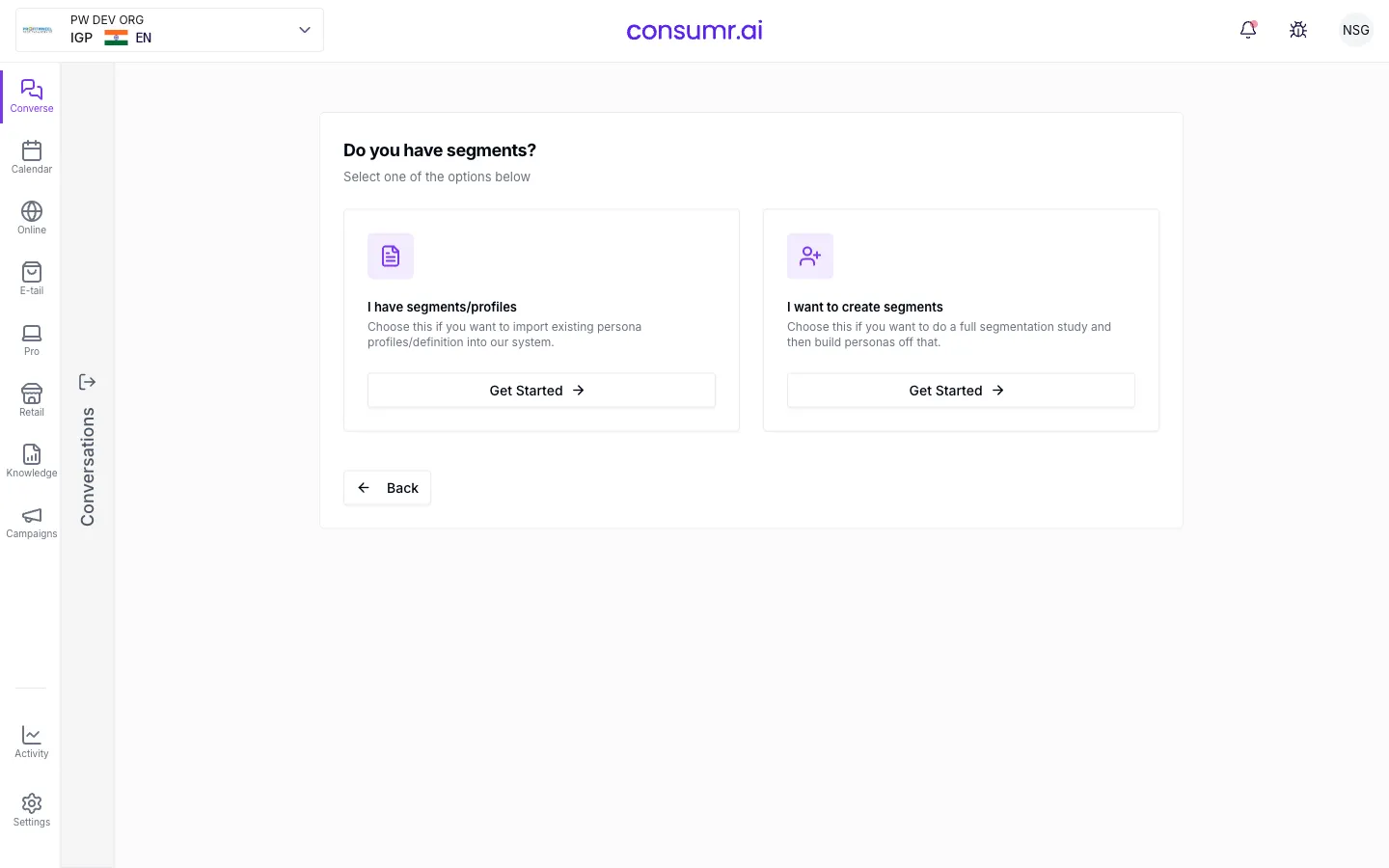
Before you create any segment, keep this rule in mind:
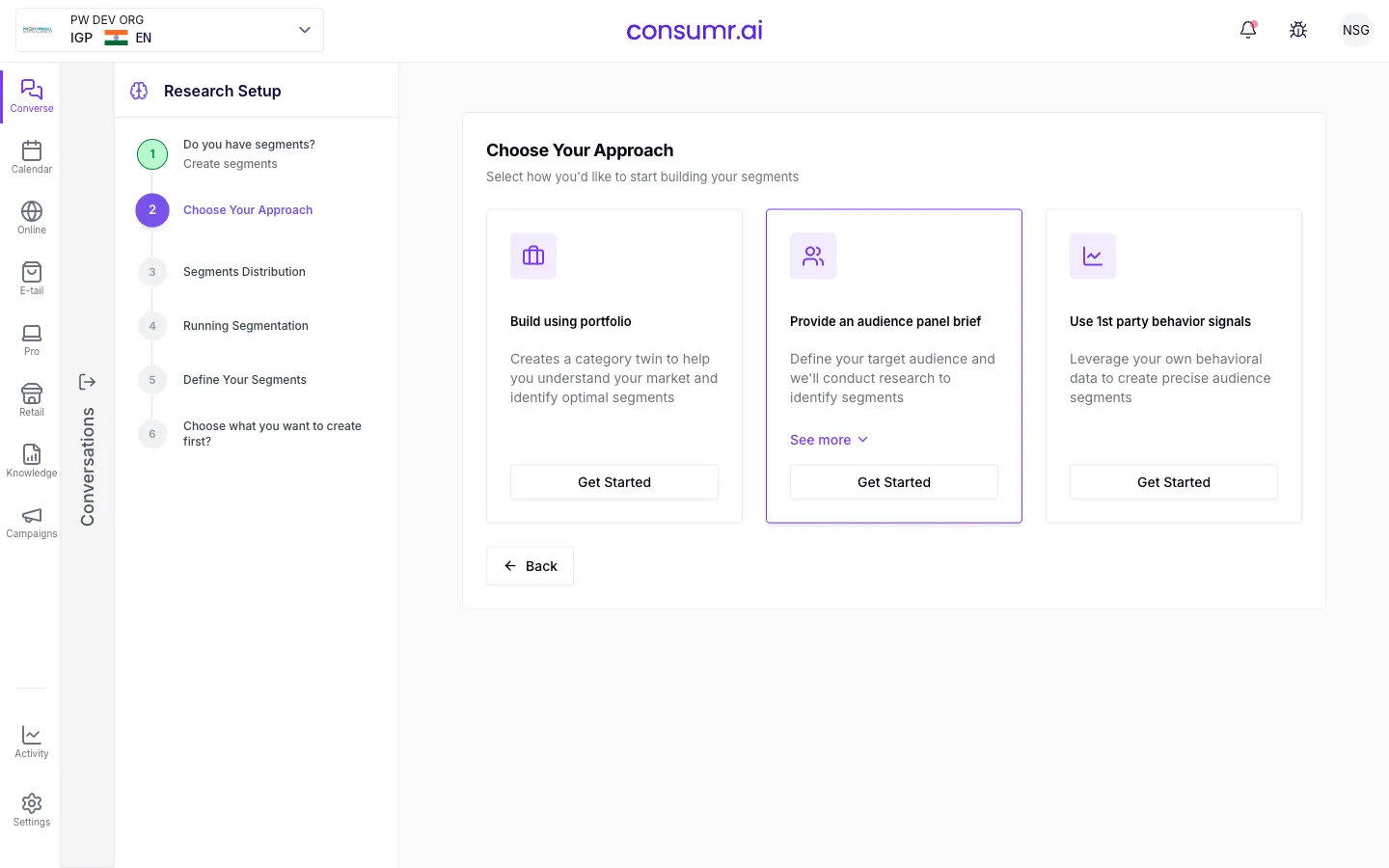
Method 1: I have segments (upload a definition)
Section titled “Method 1: I have segments (upload a definition)”Use this when your client already has defined segments, for example, a PDF from a prior segmentation study, or a named audience they can describe.
Steps:
- In Research Setup, choose I have segments.
- Either upload a PDF or enter a segment name and write the definition manually.
- If you do not know how to write the definition, click Recommend. The platform reads your portfolio (industry, brand, competitors) and generates a definition automatically.
- Review the generated definition. Adjust wording if needed.
- Check the audience size indicator. Aim for green (ideal). If the indicator shows red, widen the definition.
- Choose how to build the twin:
- Segments: gives you full control over the twin-building process, including mindset metric adjustment. This is the recommended path when you want a complete, tunable AI twin.
- Respondents: builds respondents directly but bypasses the detailed twin configuration step.
- The platform converts the definition into a brief, then into inputs, then runs reports. The AI twin is built from those reports. Respondents are created from the twin. The full pipeline takes approximately 15 minutes.
- Once the brief is generated, review the mindset metrics, refine the inputs using the Omni box, set the date range, and apply exclusions.
See Build & Tune an AI Twin for detail on the mindset metric and input steps.
Method 2: First-party signals (no definition / novice path)
Section titled “Method 2: First-party signals (no definition / novice path)”Use this when you do not have a segment definition but you have first-party audience data, for example, an RFM (Recency, Frequency, Monetary) model that groups customers into high value, mid value, and low value tiers.
Steps:
- Choose First-party signals in Research Setup.
- Provide your first-party audience data or label your cohorts (e.g., high-value, mid-value, low-value RFM groups).
- The platform analyses the variance across your data signals and recommends approximately three segments based on what distinguishes the groups from each other.
- Review the recommended segment names and definitions.
- Click Generate recommendations and inputs to proceed. The platform builds twins for each recommended segment.
The platform does the definitional work for you.
Method 3: Audience-panel brief (census / reverse method)
Section titled “Method 3: Audience-panel brief (census / reverse method)”Use this when you want to build segments that match the demographic distribution of the general population, for example, when you need survey respondents that mirror census data rather than Meta platform data.
Steps:
- Choose Provide an audience-panel brief in Research Setup.
- Write a brief describing your target audience (age range, geography, key characteristics).
- The platform ignores Meta’s audience distribution and instead uses ACS/census data to define the demographic distribution pattern.
- It creates temporary twins, runs a short survey asking basic demographic questions, and uses the answers (drawn from the twins’ memory) to derive the top segments matching the census distribution.
- You receive approximately three segment options. Each segment follows the same twin-building pipeline as Method 1.
- Review the segments and proceed to build twins for each one.
This method is slower and more compute-intensive than the others, but it produces segments whose demographic profile can be used directly when extrapolating to the full population in survey design.
Method 4: Build using portfolio (category twin)
Section titled “Method 4: Build using portfolio (category twin)”Use this when you want to start from a broad category view of the market and then carve out specific segments within it. The platform builds a category twin, a broad twin representing the whole market, and then helps you define sub-segments within it.
Steps:
- Choose Build using portfolio in Research Setup.
- The platform builds a broad category twin using your portfolio context, representing the whole market, not a specific segment.
- You are presented with approximately three segment options derived from the category twin.
- Select a segment. The platform walks you through the same definition → brief → inputs → reports → twin pipeline as Method 1.
- Once the first twin is complete, proceed to the next segment. Create one twin per segment in sequence.
Use this method when you are exploring a market you do not yet understand well, or when your client has not done prior segmentation work and you want to use the market structure itself as the starting point.
Choosing the right method
Section titled “Choosing the right method”| Situation | Recommended method |
|---|---|
| Client has existing segment definitions or PDFs | Method 1 |
| You have customer data (RFM, CRM tiers) but no definitions | Method 2 |
| You need census-representative segments for survey design | Method 3 |
| You are starting from scratch with no audience prior | Method 4 |
What comes next
Section titled “What comes next”- Build & Tune an AI Twin: adjust mindset metrics and inputs after creating a segment
- Run Qualitative Research: use your twins for qualitative sessions
- Run Quantitative Research: run surveys with your respondents