Converse with a Twin
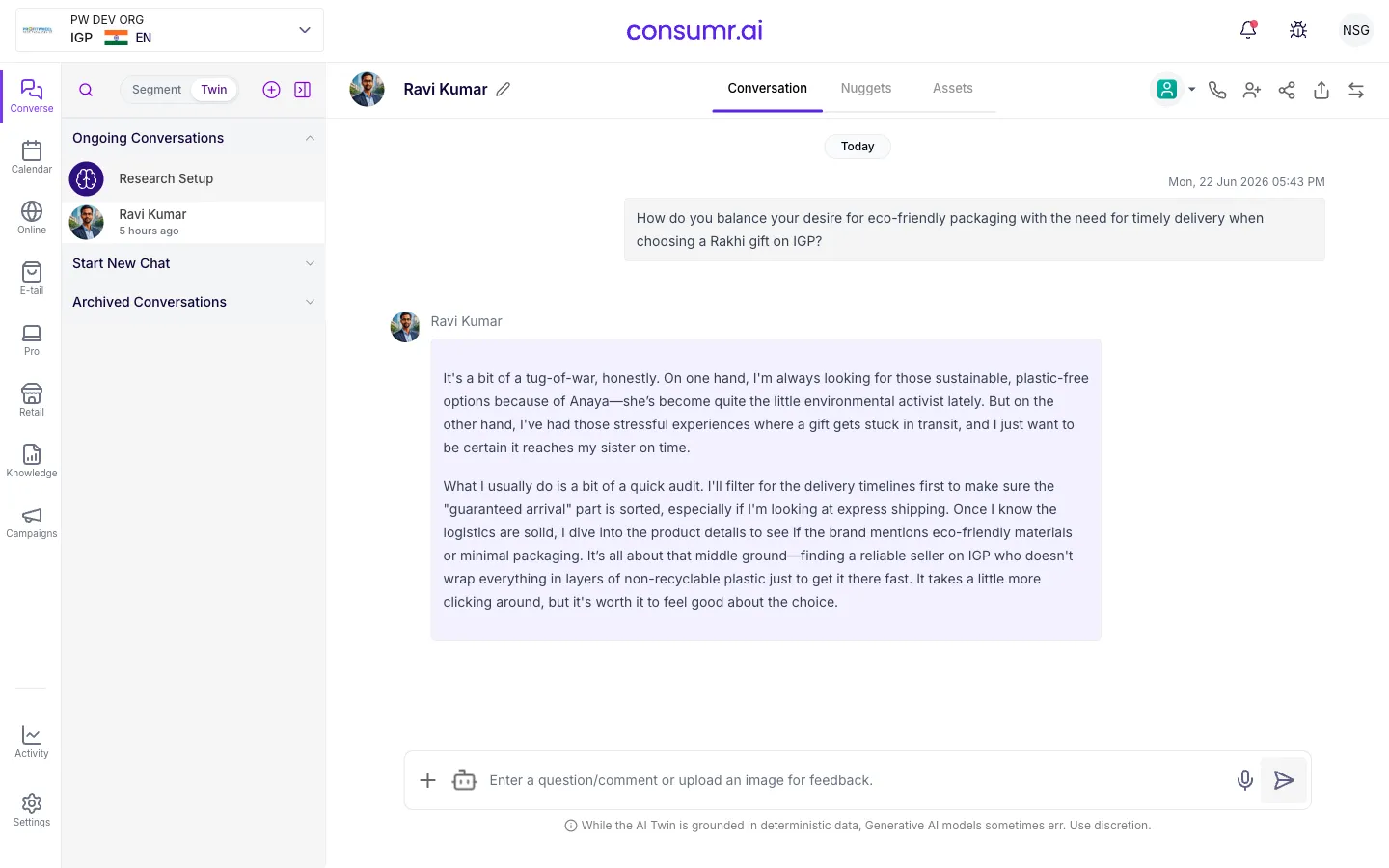
Converse is the workspace where you talk to your AI twins. It looks similar to a messaging tool like Microsoft Teams: a left rail lists the twins you have had previous conversations with, a centre pane shows the active chat, and a calendar is available for scheduling.
This is not a prompt box. It is a conversation interface designed to simulate how a real consumer would respond if you called them up for a chat.
Before you start: the correct usage rule
Section titled “Before you start: the correct usage rule”The Converse workspace layout
Section titled “The Converse workspace layout”- Left rail: Lists twins you have previously spoken with. Each twin is updatable; if set to auto-update, the platform will rerun its underlying reports on a schedule, refreshing the twin’s data to reflect shifts in the audience.
- Centre pane: The active conversation. New conversations show as fresh chats for twins you have not spoken to yet.
- Calendar: For scheduling recurring sessions or research events.
Switching roles
Section titled “Switching roles”The role controls who you are in the conversation, not who the twin is.
| Role | Effect |
|---|---|
| As me | You are a representative of the brand in your portfolio. The twin responds knowing your brand affiliation. |
| Category researcher | You are a neutral researcher. The twin does not know which brand you represent. It responds to the category as any curious consumer would, useful when you want unbiased market-level insights. |
If you want to learn how consumers think about credit cards in general, ask as a category researcher. If you ask as a brand representative, every answer will be filtered through the twin’s relationship with that brand.
Switching reasoning modes
Section titled “Switching reasoning modes”After the twin responds, you can request the same answer in a different reasoning mode.
| Mode | What it gives you |
|---|---|
| Practical | The twin weighs tangible, rational factors: cost, features, convenience. The answer a consumer would give in a survey. |
| Emotional | The twin accesses its emotional and affinity-driven motivations. Often reveals the real driver behind a stated rational preference. |
| Reflection | Self-introspection. The twin examines its own responses critically, useful for uncovering contradictions between stated and actual behaviour. |
A twin might rationally justify a purchase decision, then admit in reflection mode that the real reason was status, a fact no survey would capture.
Feedback tools
Section titled “Feedback tools”| Tool | How to use it |
|---|---|
| Thumbs up / thumbs down | Rate each response. The model learns from this feedback over time, improving the quality of future responses. |
| Trace | Shows where the twin sourced its answer, which reports and data signals informed the response. Useful for validating quality. |
| Shareable card | Converts a response into a visual card you can share with clients or teammates. |
Multi-twin meetings
Section titled “Multi-twin meetings”You can call a second twin into an active conversation. This works like inviting a colleague into a Teams call mid-meeting: the new twin joins with its own memory and perspective, and the conversation continues with both twins able to respond.
Use this when you need to hear from two segments at once, for example, to see how a loyalist segment and a churned-prospect segment differ in their reaction to the same message.
What comes next
Section titled “What comes next”- Run Qualitative Research: for structured group or one-on-one sessions with twins
- Read & Interpret Results: for reading quantitative survey outputs
- Objections: for common misuse patterns and how to counter them